Easy Insight Logo
Call 1-(720)-316-8174

Marketing Spend in Easy Insight

You can load your marketing metrics in from Google Ads and Analytics, Meta, Linkedin, and Amazon. You can allocate ad spend from these sources to your sales to help understand what your true profit is after marketing costs. You can also analyze impressions, clicks, and purchases made through advertising.

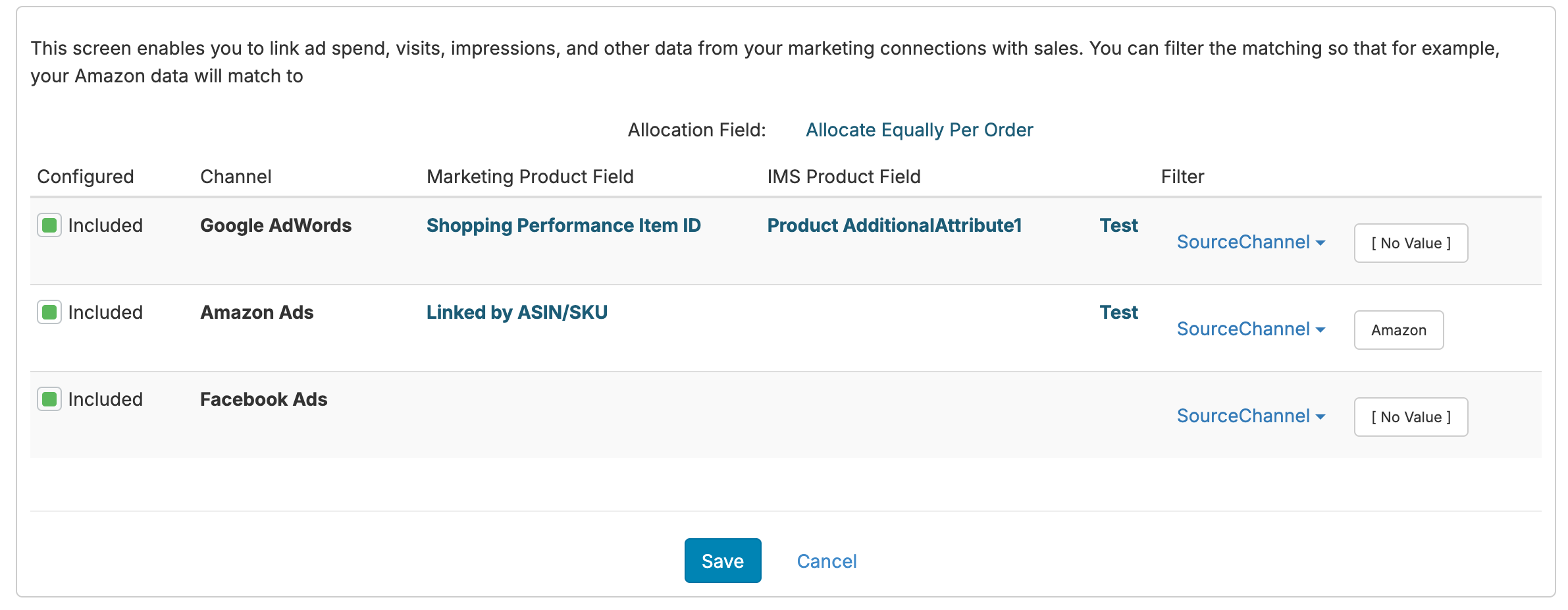
Once you've connected your inventory data and your marketing connections, you can go to the Inventory section of your data source and click on 'Link Marketing Data':

From here, you can configure each marketing channel. For each channel, you'll need to map how it relates to your sales data.

If the marketing channel has ad spend allocated per product, you can map the product from your ad data with the product in your sales data. For example:

  • For your Amazon ad data, match the ASIN on ad spend to the ASIN/SKU in your Amazon connection, back to the SKU in your sales data
  • Match SKU on your AdWords ad data to the SKU in the sales data
  • Match Shopify product ID from AdWords to the Shopify product ID

If data for a particular set of ad spend can't be matched, it'll be allocated across all of the SKUs with sales in the time period.

You can also choose to filter down which sales should match to which ad spend. For example, you can create a filter on Source (or other similar field) on the sales data so that your Amazon spend is only allocated to Amazon sales:

In the above example, marketing data is coming in from Amazon, Google, and Meta. The Amazon data is matched by ASIN/SKU as tracked in the Amazon SellerCentral connection and allocated orders that came in from the Amazon source. The Google data is matched by Shopping Performance Item ID in Google Ads to the Product AdditionalAttribute1 field in the inventory system, and allocated across orders where the source is not set. Finally, the Meta data is simply allocated across orders where the source is not set, since there's not a matching product in this case.


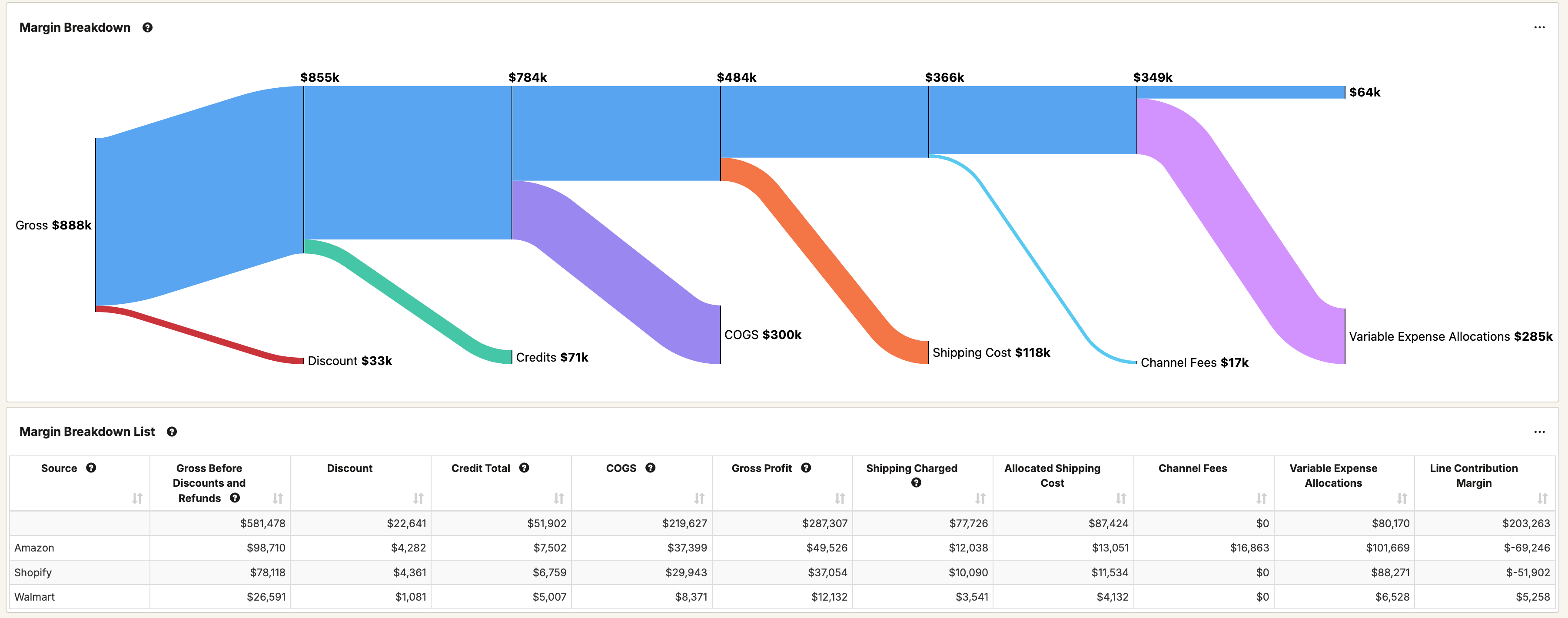
Once configured and the data source is refreshed, your ad spend is allocated per order line through the Cost Extension Fields folder on your data source under Variable Expenses. These values will also show in the Margin Breakdown report template:

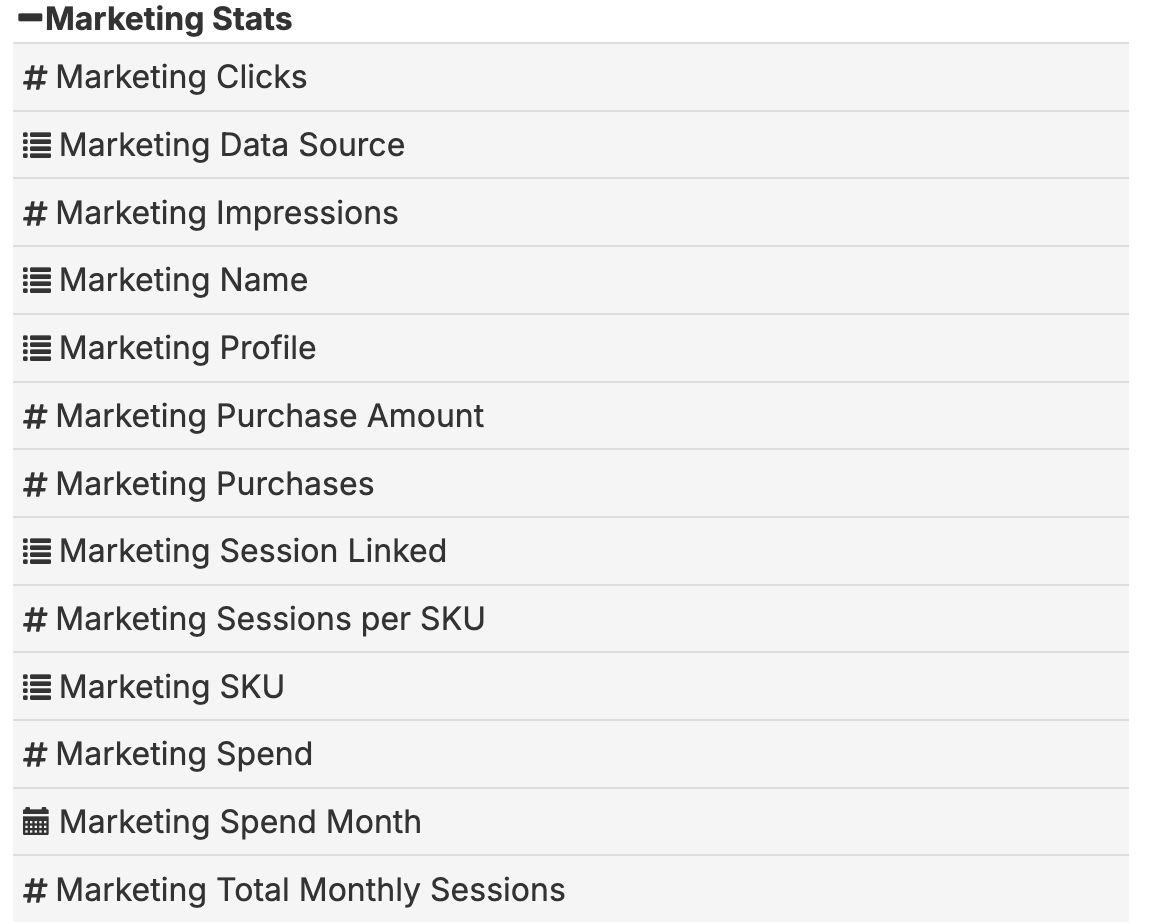
Your marketing stats are also available allocated per SKU and month under the Marketing Stats folder:

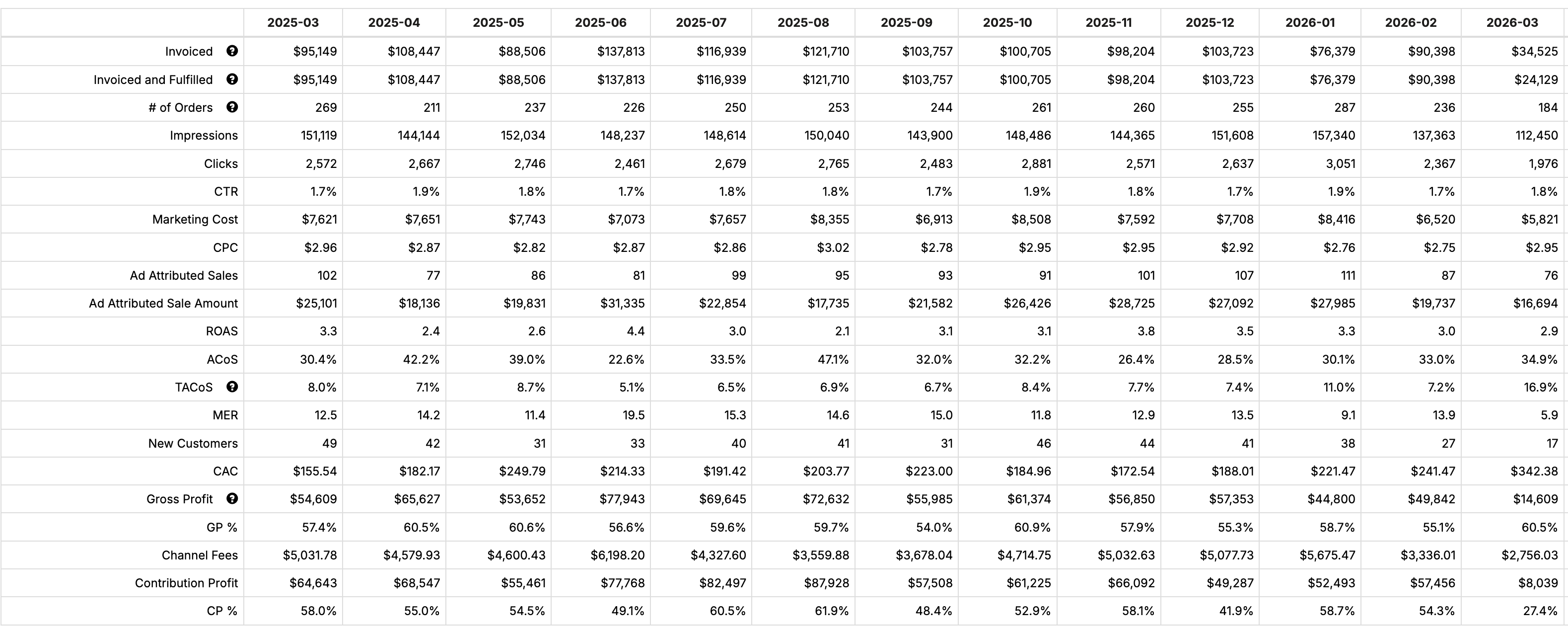
Your inventory dashboard should include a Marketing and Sales report as is that shows data from the Marketing Stats:

Twitter Logo